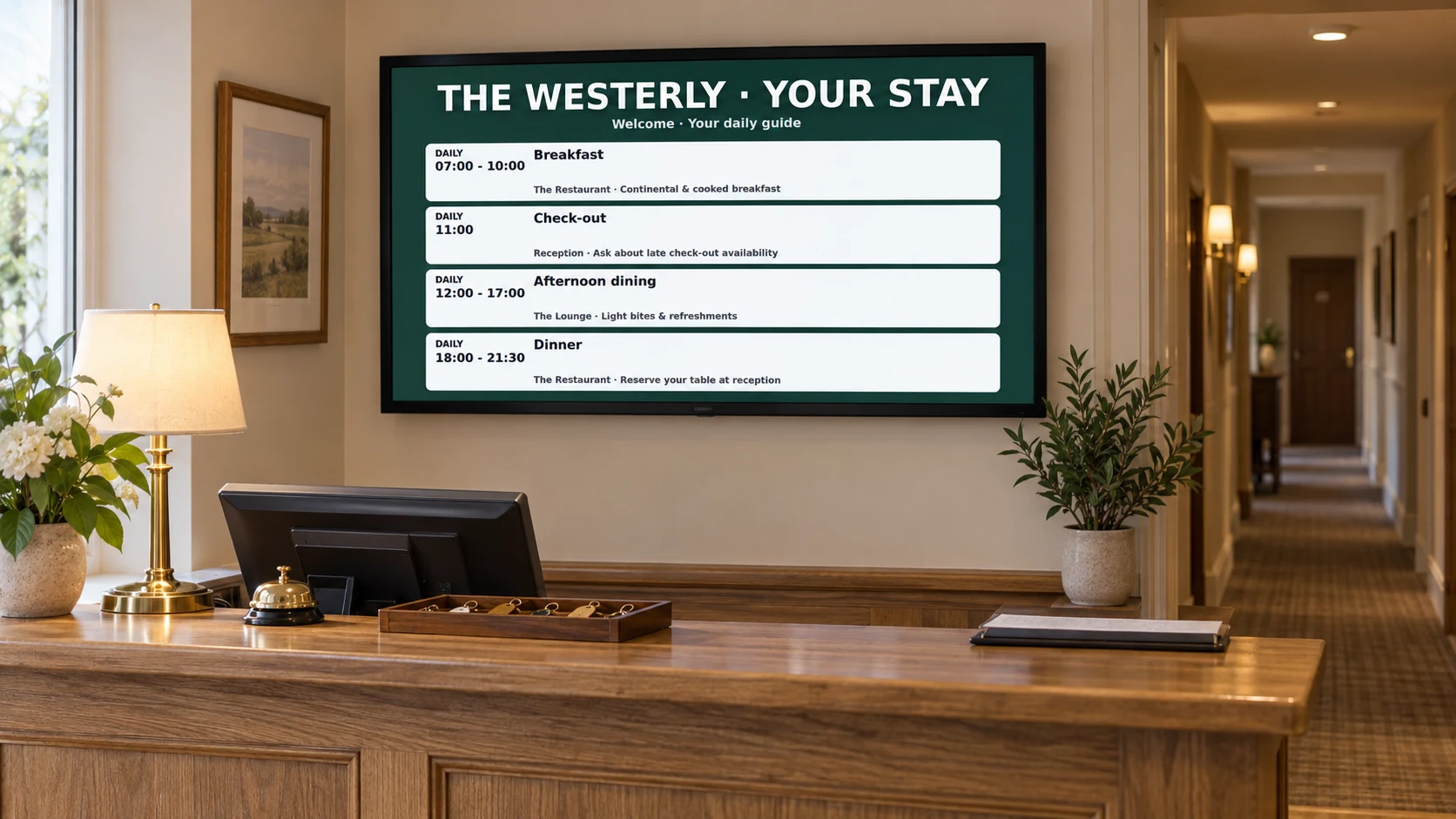
Hotel guest information

Help every guest feel informed from check-in to check-out

Welcome arrivals, answer common questions and promote more of what your hotel offers on clear screens around the property.

Keep breakfast times, events, directions, dining offers and local recommendations current without replacing printed signs.

The day-to-day challenge

Guests need different answers throughout their stay

A new arrival wants check-in guidance. A wedding guest needs the right room. A family wants breakfast times and local ideas. Reception teams answer the same questions while printed notices slowly fall out of date.

DisplayFlow helps each screen answer the questions that matter in that place and at that time. Your team can prepare regular information in advance and change today’s message whenever plans move.

What you can do

Everything needed for clear, useful screens

  • Welcome individuals, groups and event guests
  • Show breakfast, dining, spa and leisure times
  • List today’s meetings, weddings and room directions
  • Promote upgrades, dining, treatments and late check-out
  • Give reception, lifts and event areas different content
  • Update one hotel or several properties from a phone or computer
Why it helps

Support guests while giving your team more time

Fewer repeated questions

Keep breakfast times, directions, check-out details and useful reminders visible in the places guests need them.

A warmer welcome

Greet wedding parties, conferences, coach groups and individual guests with timely, polished messages.

More visible hotel services

Give dining, spa treatments, room upgrades and late check-out offers space beyond the reception desk.

Where screens work well

Help guests at every point in their stay

  • Entrance and reception: welcomes, check-in details and today’s highlights
  • Lift areas: breakfast times, floor guides and hotel services
  • Breakfast room: serving times, local produce and evening dining
  • Meeting and event areas: schedules, room names and directions
  • Bar, spa or leisure area: opening times, availability and offers
Easy everyday changes

Keep today’s guest information accurate

  • Welcome a wedding, meeting or tour group
  • Change a room name or event time
  • Share a lift, parking or travel notice
  • Promote remaining dining or spa availability
  • Update check-out guidance or breakfast times
A day on your screens

Let hotel screens follow the guest day

Morning

Lead with breakfast, check-out, travel updates and ideas for the day ahead.

Afternoon arrivals

Show a warm welcome, check-in guidance, parking details and today’s events.

Evening

Promote dinner, the bar, spa availability, local entertainment and tomorrow’s breakfast time.

Events

Switch selected screens to wedding welcomes, meeting schedules and room directions as guests arrive.

Getting started

Three simple steps to your first screen

1

Start with common guest questions

List what reception is asked most often and choose the screen location that can answer those questions best.

2

Prepare the guest day

Add welcomes, service times, event details, local ideas and offers, keeping each message short and clear.

3

Give each area its role

Use reception for broad information, lifts for quick reminders and event areas for directions and schedules.

Screen ideas

Example screen uses

These are practical examples, not customer case studies.

Reception welcome

Welcome today’s guests and groups while sharing check-in, dining and parking information.

What’s on today

List meetings, weddings, meal times and hotel activities with simple directions.

Stay enhancement

Promote dinner bookings, spa treatments, room upgrades or late check-out at the right time.

Your screens

Use a screen you already own or choose a ready-to-use kit

Use suitable TVs already in the hotel or choose ready-to-use kits for reception, lift areas, dining rooms and event spaces. Each can show information chosen for its location.

You can open DisplayFlow on a suitable TV, or choose the optional £175 ready-to-use bundle for one screen for one year. No VAT is currently charged.

See screen kit options or read the simple setup guide.

Pricing

Start with one screen

Plans start from £10.00 per screen per month, with options for more screens and help creating your designs.

That keeps it suitable for one screen in a small business, or multiple screens across a venue.

View screen pricing.

FAQ

Questions for hotels

Yes. Staff can change names, times and notices from a phone, tablet or computer.

Yes. Reception can welcome arrivals while lift, dining and event-area screens answer different guest needs.

Yes. Prepare breakfast, daytime, arrival and evening content, then choose when each should appear.

Yes. Show welcome messages, running orders, room names, times and directions for each event.

Yes. A group can keep an eye on screens across several properties while still giving each hotel and screen its own information.

Often, yes. A suitable TV may be used, or you can choose a ready-to-use kit for a dependable all-day display.

Related pages

Explore more DisplayFlow options

Next step

Give guests the right information at the right moment

Try one reception screen or plan a joined-up set of displays for guest information, events and hotel offers.

WhatsApp Chat with us